Your Claude Code and Codex limits, at a glance.
MinoMeter puts a small gauge in your menu bar. See how much of your 5-hour and weekly limits is left, and switch between your work and personal accounts in one click.
Not released yet. It will be free, for macOS first. Windows is in progress.
What is MinoMeter?
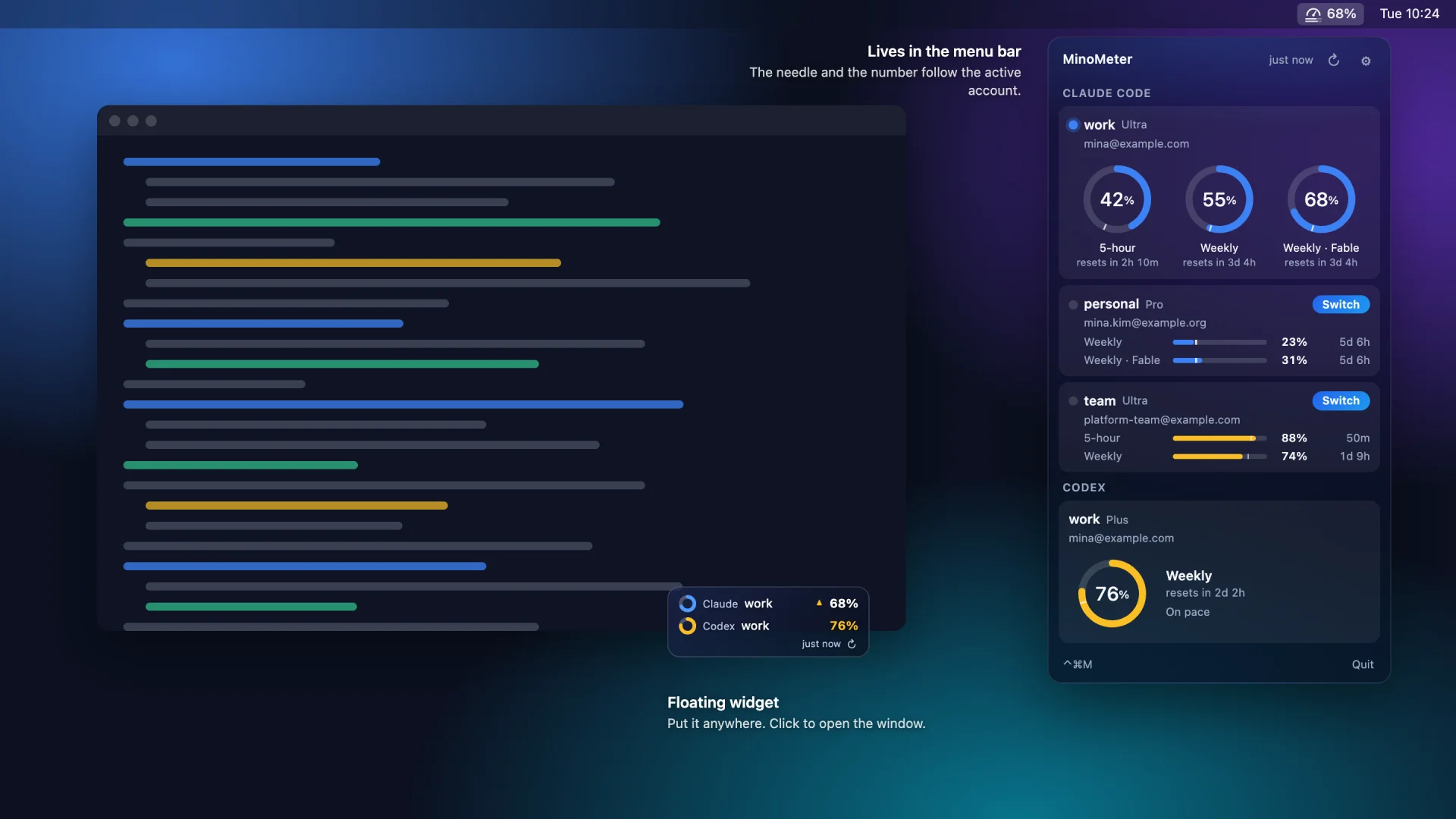
MinoMeter is a menu bar app for people who use Claude Code or Codex every day. It shows the usage limits of every account you have saved (the 5-hour limit, the weekly limit and the per-model weekly limit) with the time until each one resets. It also switches the active account in one click by putting back the login the command-line tool had already stored, so you do not log in through the browser again. It is made by MinoDeck, it is free, and it is not affiliated with Anthropic or OpenAI.
See it without asking
The needle and the number in the menu bar follow the account you are using. No command to run, no settings page to open.
Switch in one click
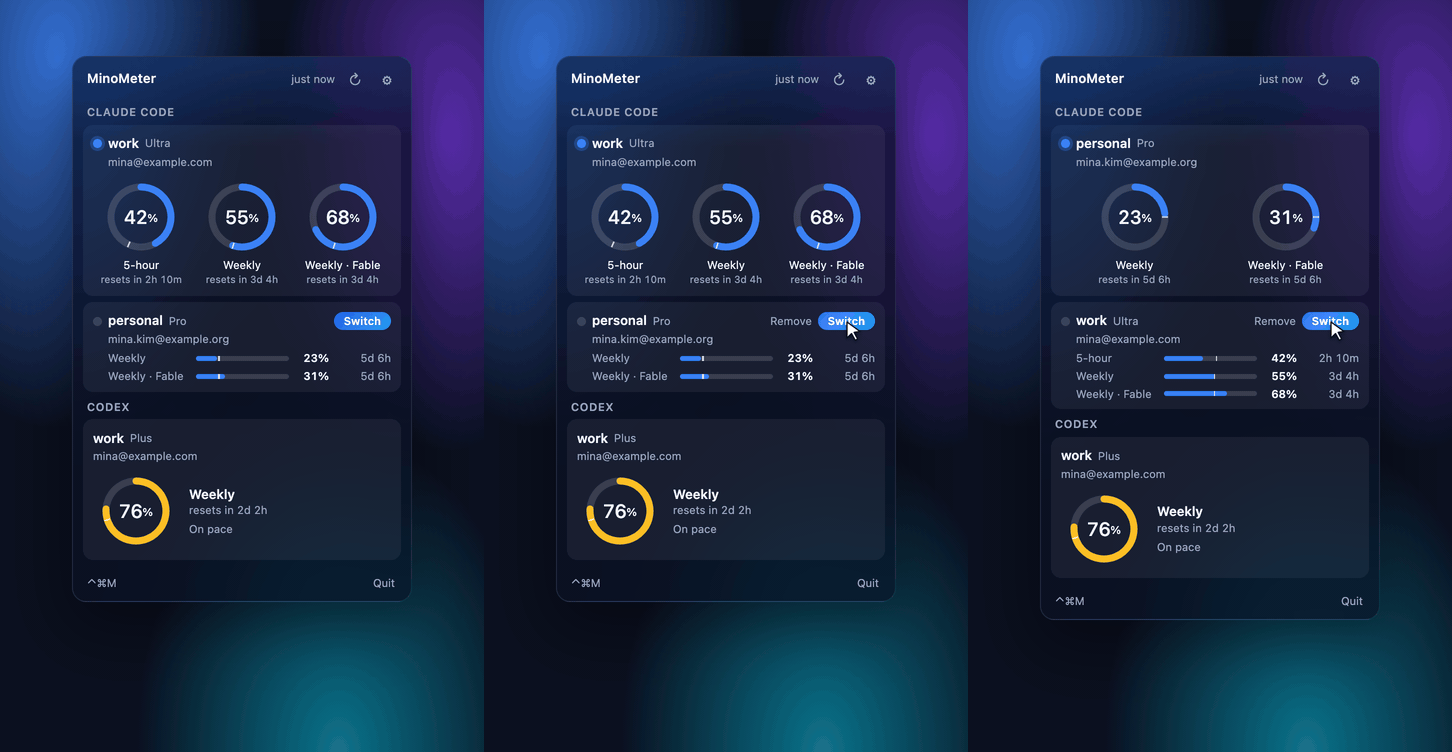
Save an account once. After that, moving between work and personal is one click, with no logout and no browser login.
Know before you hit the limit
A tick on each gauge shows whether you are ahead of an even pace, and a notification arrives at 80% and at 95%.
Change accounts without logging in again
Using a work account and a personal one usually means logging out and going through the browser every time you change. MinoMeter keeps each login in the macOS Keychain and swaps it for you.
- Press "Switch" next to any saved account.
- Open Claude Code sessions, including the VS Code extension, follow the new account.
- To add an account, log in to it once as usual and press "Save".
Everything it does
One window, one icon, and nothing you have to learn.
Limits at a glance
5-hour, weekly and per-model weekly limits for every saved account, each with the time until it resets.
Pace tick
A mark on each gauge shows the usage you would have at an even pace, so you can tell if you are running ahead.
Account switching
One click and no login. Save as many accounts as you use.
Menu bar icon
The needle follows Claude Code. The two thin lines under it are Claude Code and Codex.
Floating widget
An optional small window you place anywhere. It stays on top, and a click opens the full window.
Limit alerts
One notification when the active account passes 80%, and one at 95%.
Global shortcut
Control+Command+M opens the window from anywhere and Esc closes it. You can change the shortcut.
VS Code extension
Shows usage in the status bar and switches accounts from a quick pick list.
Color tells you how close you are
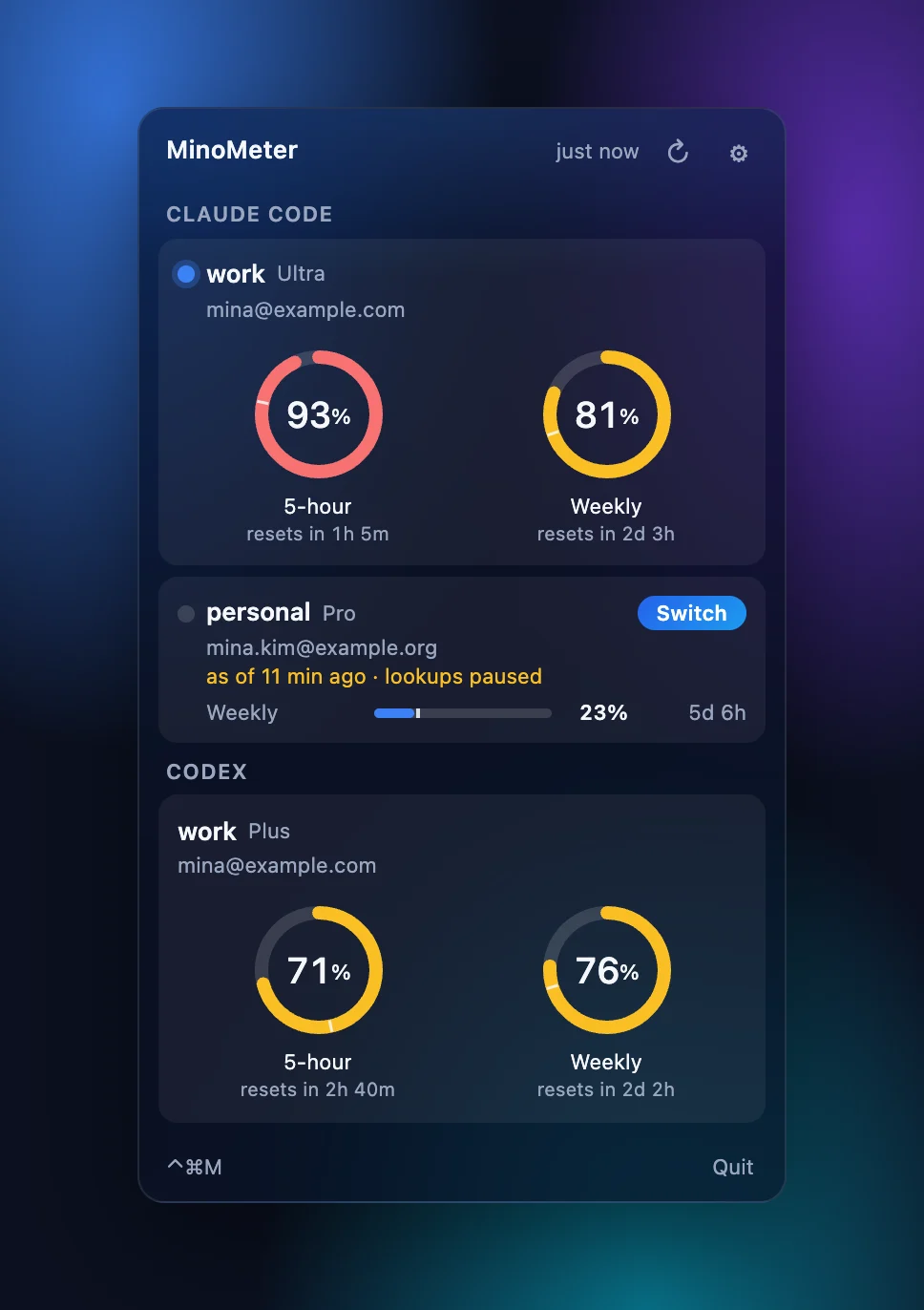
Gauges are blue, turn amber from 70% and red from 90%. If a provider pauses usage lookups, MinoMeter keeps the last value on screen, says how old it is, and tries again by itself.
A widget that stays out of the way
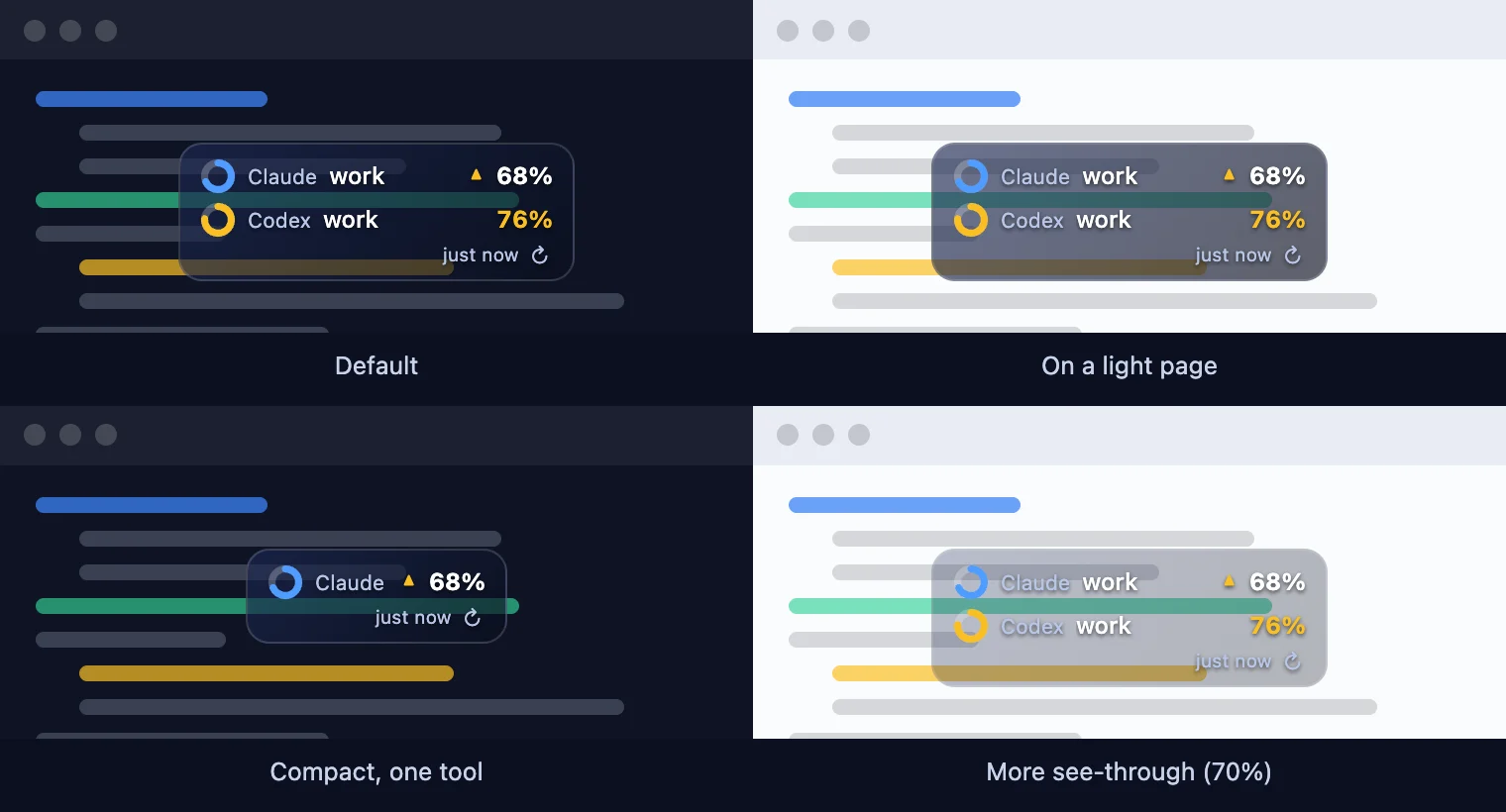
Keep the active accounts in a corner of the screen. Set how see-through it is, hide the account names, or show one tool only. Right-click it for quick options.
What it does with your logins
An app that handles your logins should say exactly what it does with them.
Logins stay in the Keychain
MinoMeter keeps a copy of the login that Claude Code or Codex already stored, in the macOS Keychain, and puts it back when you switch. It is never sent anywhere else.
Three kinds of connection, nothing more
It contacts Anthropic and OpenAI to read your usage, and GitHub to check for updates. It collects no usage data and has no analytics.
Unofficial, and open about it
MinoMeter is not affiliated with Anthropic or OpenAI. It reads usage from endpoints that are not publicly documented, so it may stop working for a while if a provider changes them.
MinoMeter at a glance
- What it is
- Usage meter and account switcher for Claude Code and Codex
- Made by
- MinoDeck
- Price
- Free
- Platforms
- macOS. Windows is in progress
- Status
- Not released yet
- App size
- About 5 MB
- Built with
- Rust and Tauri 2
- Languages
- English and Korean
Questions and answers
Want to know when it is out?
Send one email and we will let you know when MinoMeter is ready to download.
Tell me when it is outNot released yet. It will be free, for macOS first. Windows is in progress.